Almost every organization we work with knows their digital security isn’t where it should be. What they don’t know is which of the twenty things they’re worried about actually matters most — and which ones they can fix this afternoon.
The usual answers don’t help much. Security frameworks like the CIS Controls are excellent and completely overwhelming if you’re a five-person team with no IT staff. A paid audit costs more than most annual technology budgets. And a generic online checklist doesn’t know whether you’re a two-person consultancy in Nairobi or a forty-person human rights organization operating somewhere that treats your work as a threat.
So we built the thing we kept wishing existed.
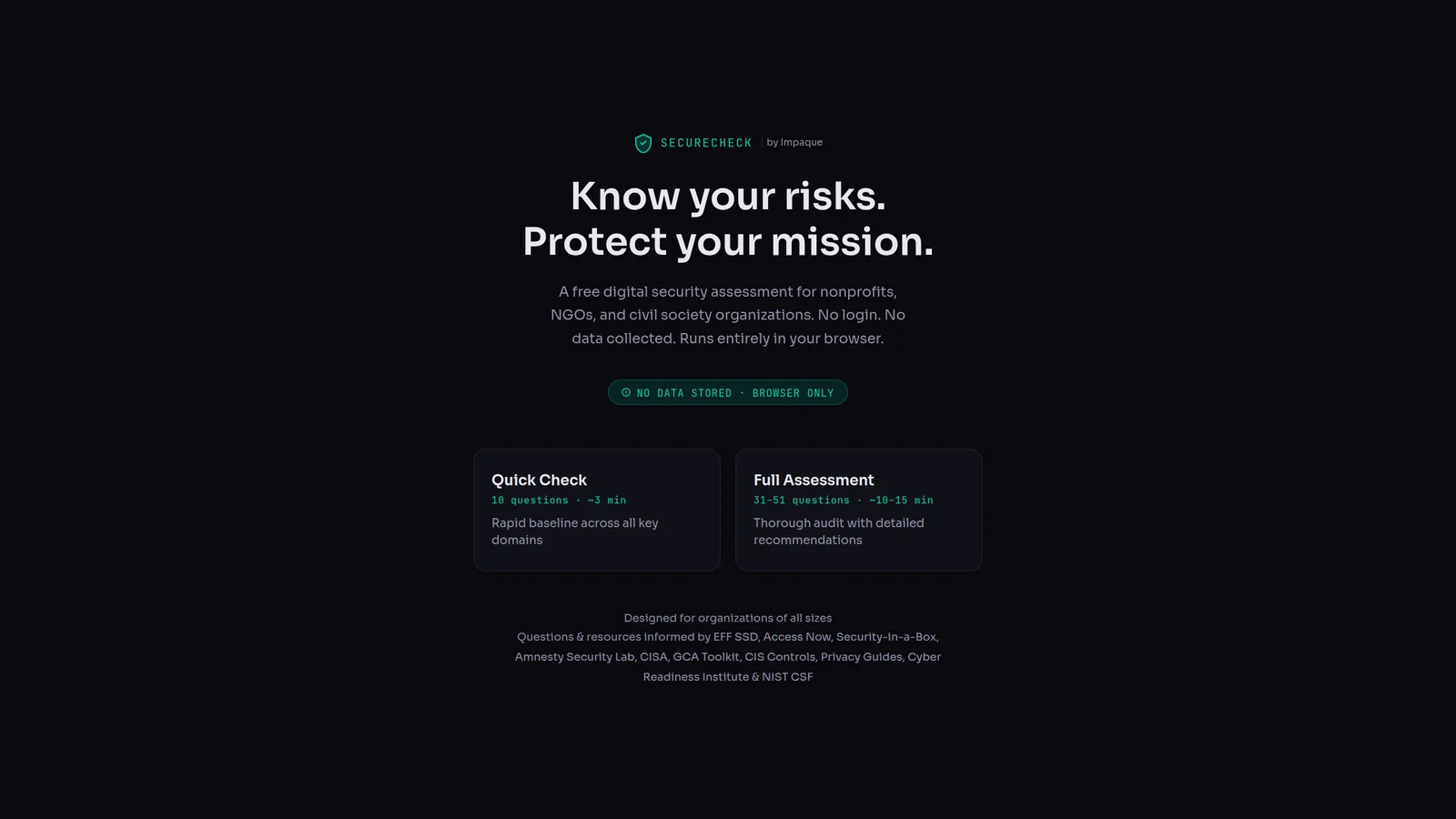
SecureCheck is a free digital security self-assessment for nonprofits, NGOs, and civil society organizations. No login, no signup, no sales call. Nothing you type is sent anywhere — the whole thing runs in your browser.
Start with three minutes, not three weeks
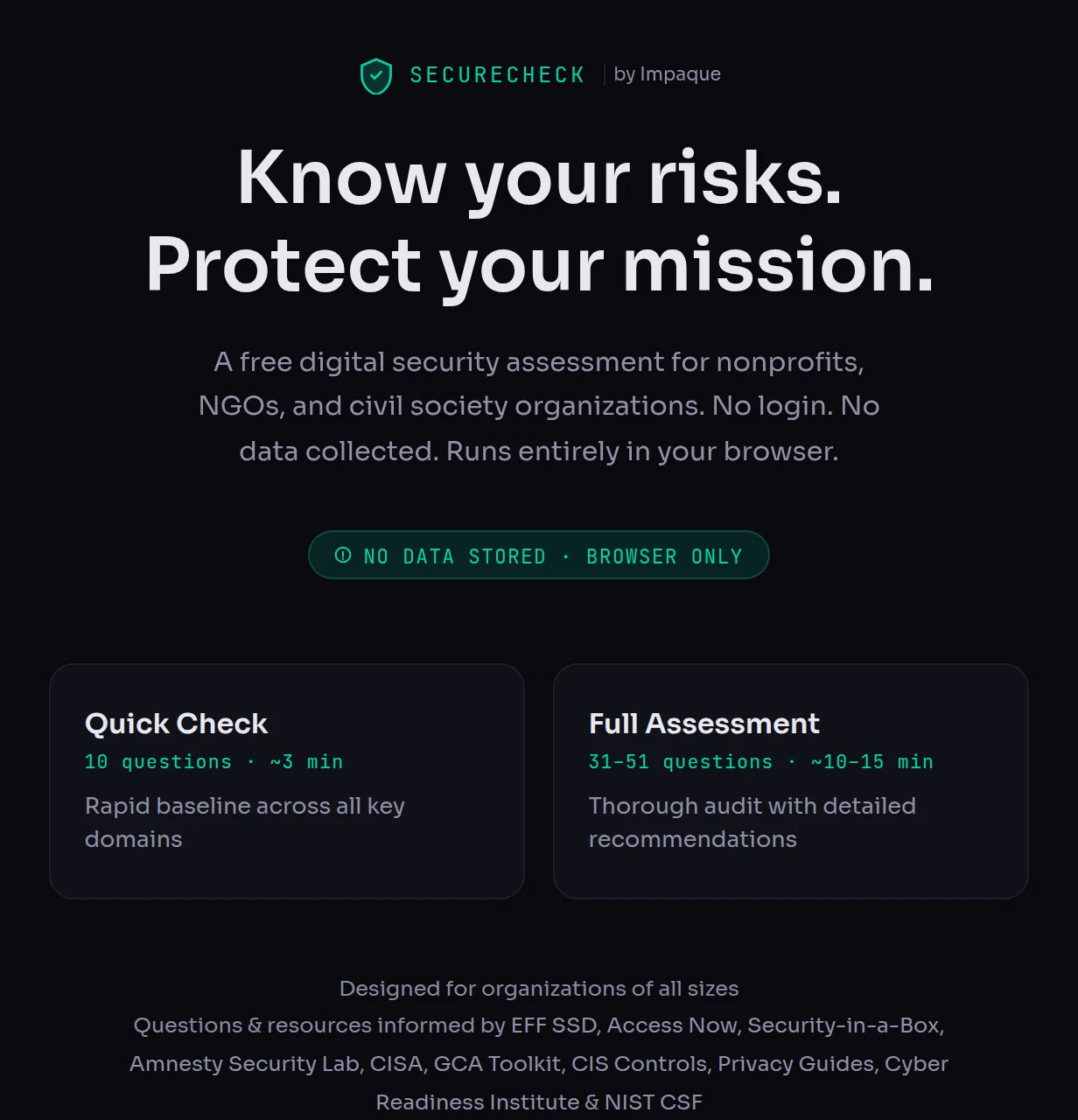
There are two ways in. The Quick Check is ten questions and takes about three minutes — enough to get a rough baseline across every domain and find out whether anything is badly broken. The Full Assessment runs 31 to 51 questions depending on your profile, takes ten to fifteen minutes, and produces a much more detailed picture.
We deliberately made the short version genuinely useful rather than a teaser. If three minutes is what you have today, three minutes will tell you something worth knowing.
It adapts to the organization you actually are
Before the questions start, SecureCheck asks two things: how big you are, and where you are based.
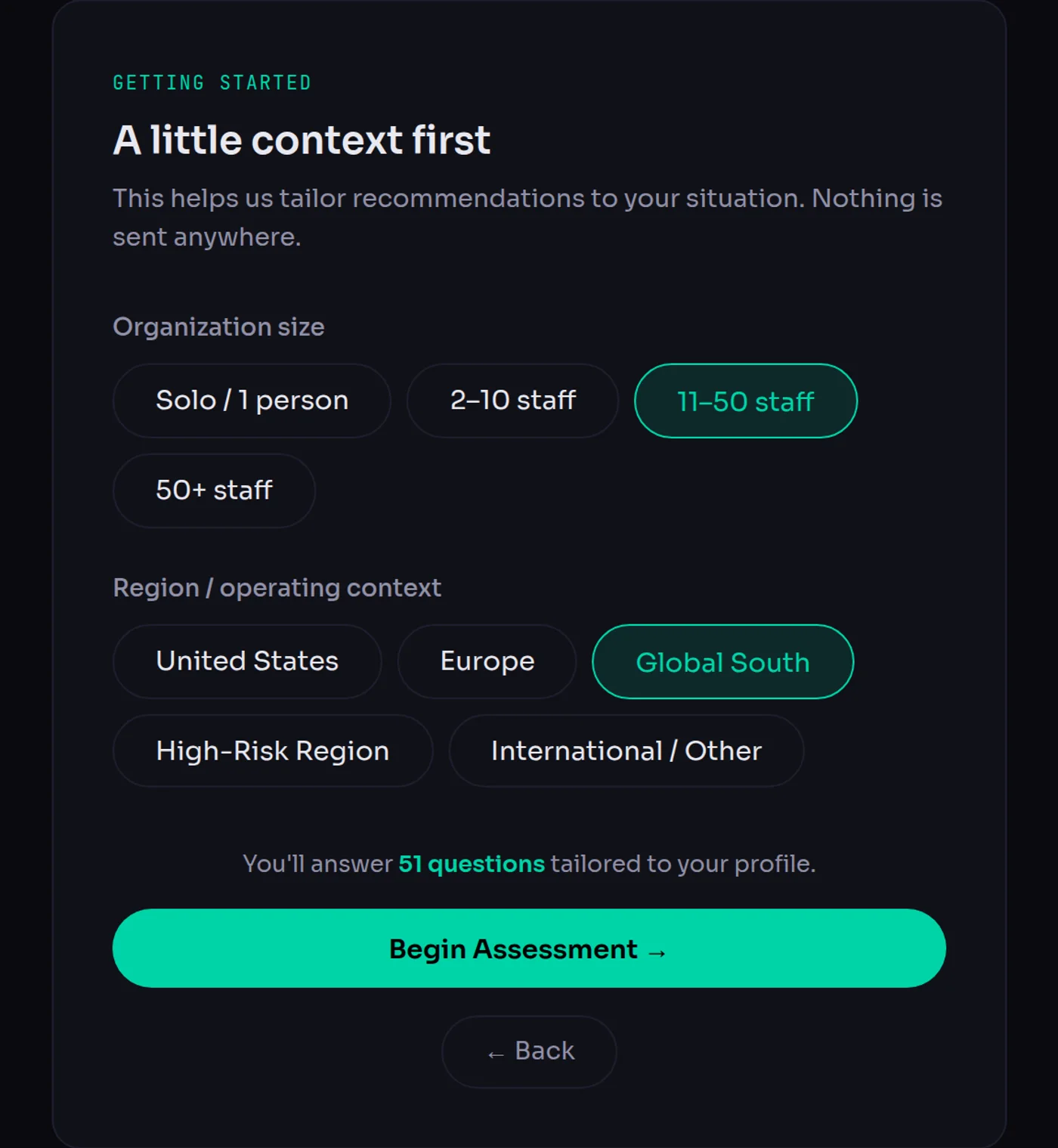
This matters more than it might sound. A solo consultant doesn’t need a staff offboarding policy, so we don’t ask about one — and questions that do apply get rewritten in the first person rather than talking about “your staff”. An organization operating in Europe gets a GDPR section: records of processing, DPAs, data subject requests, the 72-hour breach notification window. A US-based organization gets state breach-notification laws, HIPAA, COPPA, FERPA and the FTC Safeguards Rule instead.
And if you tell us you work in a high-risk region, the assessment changes character entirely. It starts asking about threat modelling, device seizure at borders, spyware screening with Amnesty’s Mobile Verification Toolkit, duress signals and secure source intake — and it surfaces Front Line Defenders, Digital Defenders Partnership and the Access Now helpline in your results. Select the Global South context and you get questions most Western security guides never think to ask: whether your security tools work on unstable connections, whether guidance exists in your team’s working language, whether staff know the local mobile-money fraud patterns.
Every question explains why it matters
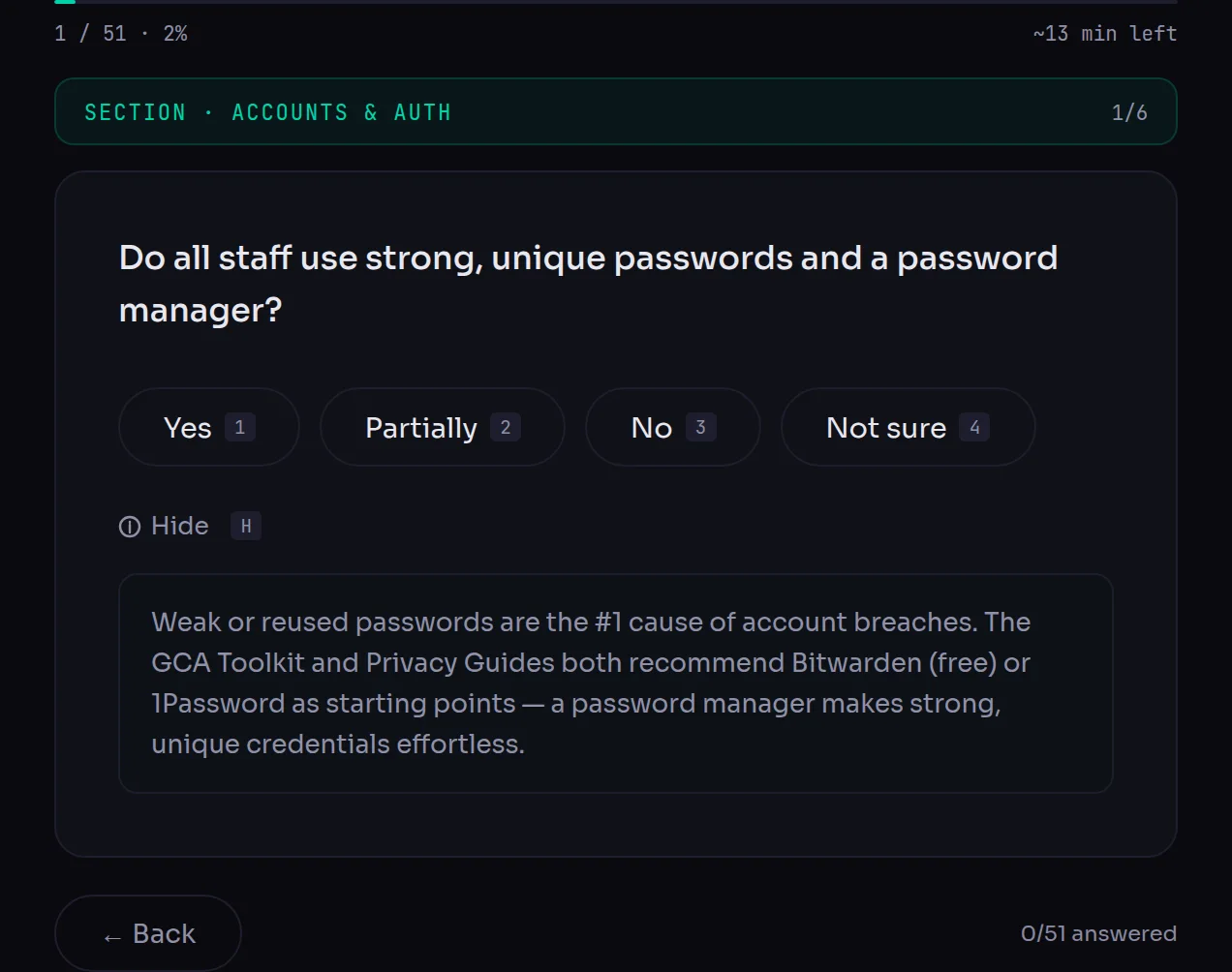
This is the part we care most about. A checklist that only tells you what you’re missing leaves you no smarter than before. Every single question in SecureCheck has a “why does this matter?” explainer behind it, with the reasoning, the source, and a concrete tool or next step.
The questions and their explanations are drawn from EFF’s Surveillance Self-Defense, Access Now, Security-in-a-Box, Amnesty Security Lab, CISA, the Global Cyber Alliance Toolkit, the CIS Controls, Privacy Guides, the Cyber Readiness Institute and the NIST Cybersecurity Framework. The point isn’t to invent new advice — it’s to translate the best existing advice into questions a non-technical person can answer honestly.
There are four answers: Yes, Partially, No, and Not sure. “Not sure” is a real answer and scores accordingly, because “we don’t know whether our backups work” is a genuinely different situation from “we know they don’t”. You can answer with the number keys and move through the whole thing without touching the mouse. Your progress is saved locally, so you can close the tab and come back.
You get a score, by domain, not just a verdict
At the end you get an overall score and a risk level, plus a breakdown across eight domains: Accounts & Auth, Devices, Data & Backups, Communications, Network, Policies, Vendors, and Physical.
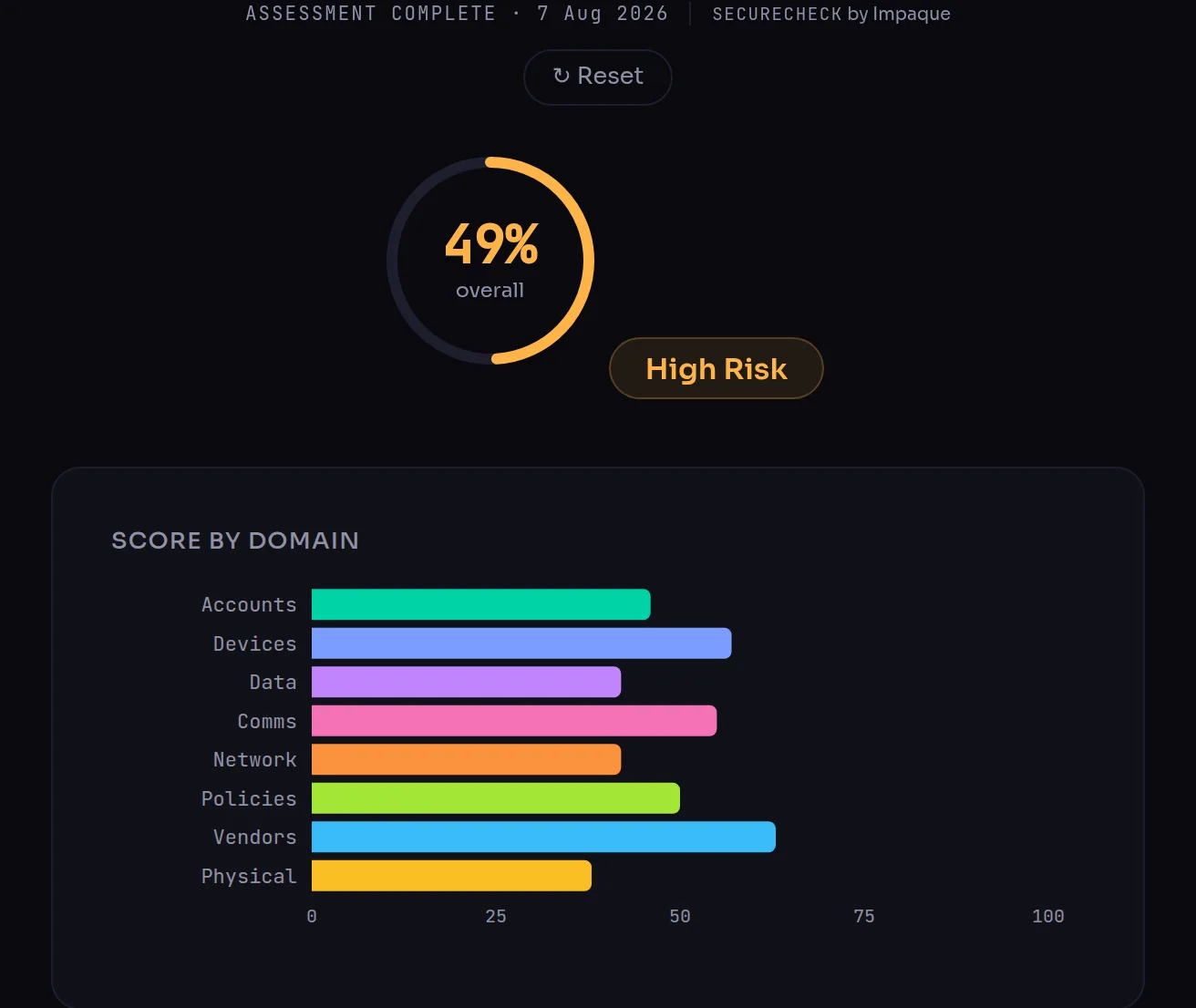
The per-domain view is where the value is. An overall score of 49% doesn’t tell you what to do on Monday. Seeing that your Vendors score is 63% while Physical is 38% does.
And then it tells you what to fix first
The recommendations aren’t a generic list — they’re generated from your weakest domains and ranked by urgency, with the quick wins pulled to the top and tagged by effort.
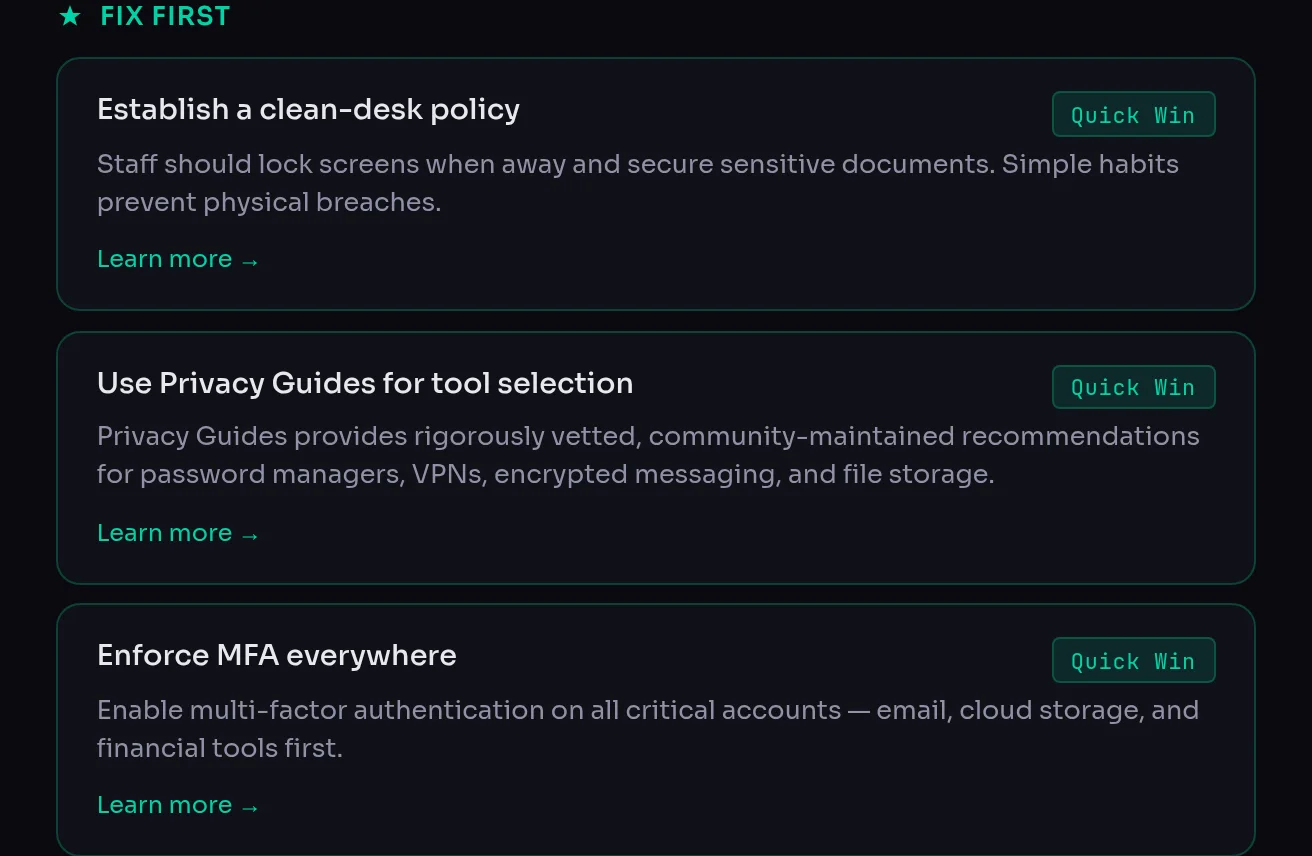
Everything links to a free, vetted resource: EFF’s guide to enabling two-factor authentication, Security-in-a-Box on backups, the GCA Toolkit, CISA’s Project Upskill training. Nothing we recommend requires buying anything. If you score well in a domain, you’re told that too — the results call out what you’re already doing right, which matters when you’re trying to convince a board that the money already spent on security wasn’t wasted.
Take the report to your board
One click produces a clean, printable report you can save as a PDF: your score, every domain, the prioritized recommendations, and a full record of every question and how you answered it.
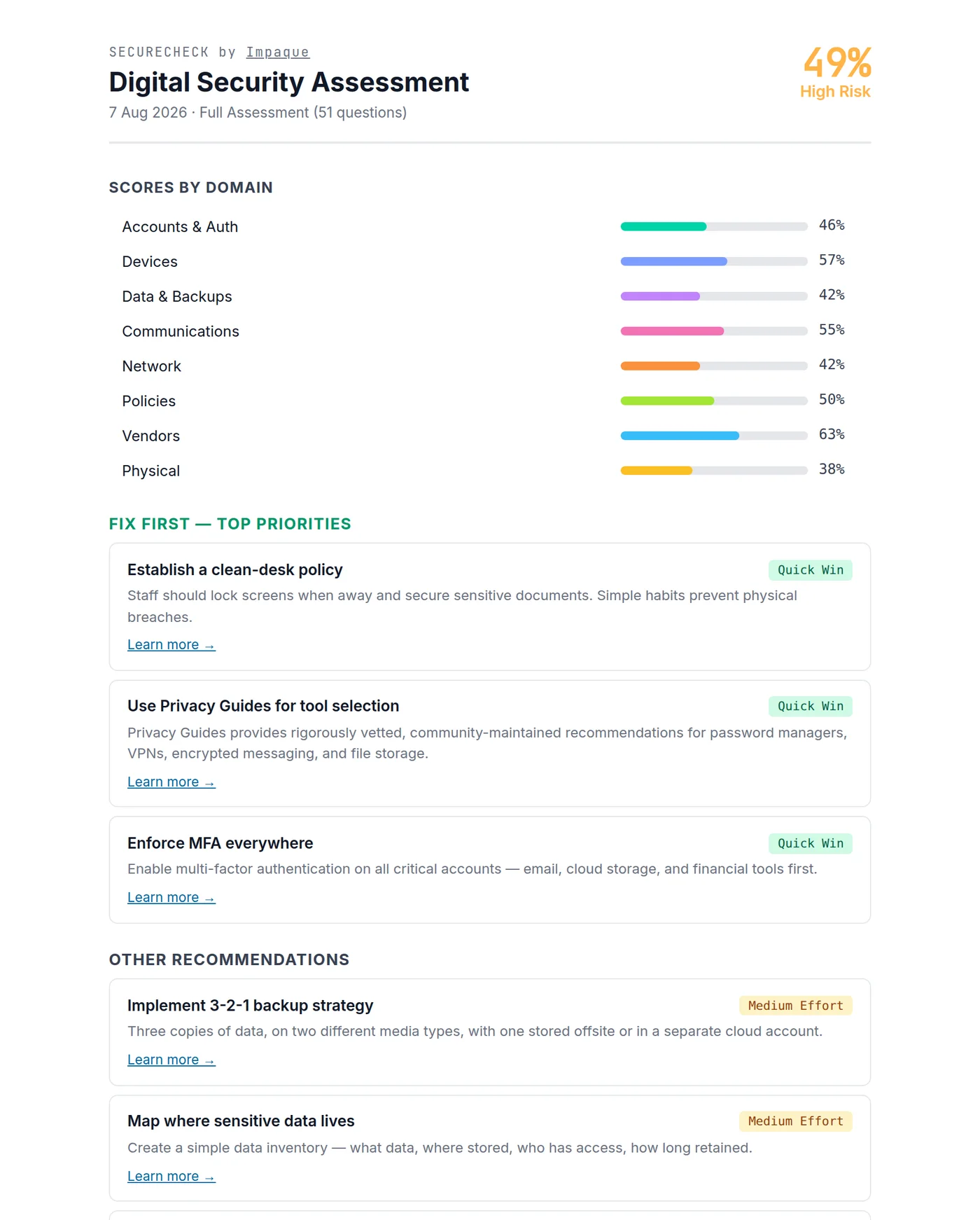
That last part is deliberate. The answer log turns the assessment into a document you can hand to a colleague, attach to a funder’s due-diligence questionnaire, or pull out in twelve months to see what actually changed. Funders increasingly ask nonprofits to demonstrate basic security hygiene, and “here is our assessment and our remediation plan” is a much better answer than a shrug.
Why we built it, and why it’s free
We build technology for mission-driven organizations, and we kept watching the same pattern: security work stalls not because people don’t care, but because nobody can see the whole picture clearly enough to prioritize. Once you can see it, most organizations fix the top three things fairly quickly. The assessment is the unlock.
It’s free because charging for it would defeat the point. It collects nothing because an organization worried about surveillance shouldn’t have to trust us with a list of its security weaknesses in order to find out what they are. Your answers live in your browser’s local storage and go nowhere else.
If the results make it obvious you need help — or if you’d rather not work through the fixes alone — we would be happy to assist, that’s what we do. But the assessment stands entirely on its own, and plenty of organizations will need nothing more than the list it gives them.
If you want the background reading first, our post on digital security essentials covers the underlying threats, and our list of free and discounted tools for nonprofits includes several free security services worth claiming.
Take the assessment at securecheck.impaque.com →
Retake it in six to twelve months. Security drifts, staff change, and the score is a lot more useful as a trend than as a snapshot.
Need a hand with this?
Impaque helps mission-driven organizations put technology to work. Tell us about your project — we'd love to help make it happen.